
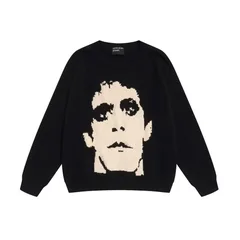
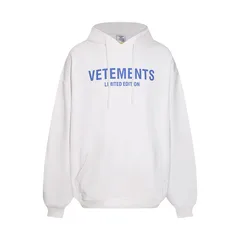
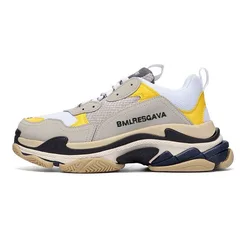
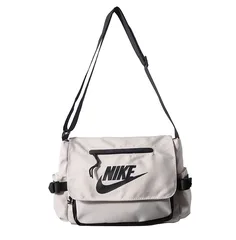
LoveGoBuy is a shopping agent for supported purchases from Chinese sellers, warehouse receipt and international delivery. This independent spreadsheet helps you compare product references; your account, purchase and shipping payments are handled on LoveGoBuy.
A LoveGoBuy spreadsheet should help you move from an interesting product to a choice you understand. Start with the item link, select the version you want, compare the details that matter and consider shipping before you pay. A long list of photographs is only the beginning.
How to order through LoveGoBuy
- Choose the item. Open a product and keep the exact option, size and quantity.
- Submit and pay on LoveGoBuy. Use the purchase link, recheck the item and option, then confirm the product charge and currency.
- Review the warehouse item. Match the received option and available QC photos, and resolve the detail that matters.
- Choose delivery and pay freight. Select the goods and packing, compare the available routes for the real destination, then confirm the parcel and shipping amount.
- Follow delivery. Use the dispatched parcel’s tracking record and check the received contents.
Continue with the buying guide, QC checklist and shipping guide for the relevant step.
Pick the guide that answers your next question
Use Best LoveGoBuy spreadsheet to judge a shortlist, spreadsheet links to keep item references usable, and the spreadsheet review to distinguish helpful information from unsupported recommendations. Before entering account or payment details, read Is a LoveGoBuy spreadsheet safe?.
The LoveGoBuy spreadsheet guide connects selection, purchasing and parcel preparation. This introduction remains your overview before moving into one of those focused tasks.
Find an item, then narrow the choice
Use OG product search for names, styles and product details. If you start with a picture, use it to describe the shape, colour and distinctive features you are trying to match. A similar-looking result still needs its own size and option checks; an image alone cannot establish that two listings contain the same product.
Browse a category when you know the kind of item you need:
What is LoveGoBuy used for?
LoveGoBuy describes a shopping-agent service for discovering products from sources including Taobao, Weidian and 1688, arranging purchases and receiving goods at a warehouse in China before onward shipping. Its service description includes warehouse checks and combining items into a parcel. Those stages are separate: finding a product does not mean it has been purchased, and warehouse arrival does not mean international delivery has started.
This guide connects shopping choices with the questions you need to answer at each stage. Product and category buttons open product references listings. Use those listings to inspect an item, not as proof that every option is currently available or that its delivery cost is included.
Why use a structured shortlist?
It makes differences visible before they become order mistakes. Consider three very different finds:
| Product reference | What to decide before ordering | What an attractive photo cannot tell you |
|---|---|---|
| Floral lightbulb graphic tee | Selected colour, size and chest/length measurements | Fabric feel or how the selected size fits you |
| White tote with brown handles | Dimensions and whether the opening suits what you carry | Usable capacity or handle strength |
| Black elastic-waist cargo shorts | Waist range, rise and leg length | Whether the cut matches another pair you own |
These links identify products to investigate, not tested recommendations. Write down unresolved details beside the item instead of treating a blank field as a favourable answer.
A practical shopping sequence
- Choose the purpose. Decide what the item needs to do and what would make it unsuitable.
- Save the exact selection. Keep the product reference, colour, size and quantity together. A general shop link is not enough.
- Check the order terms. Review the selected option and payable amount. Do not assume the first displayed price includes shipping to your country.
- Examine the warehouse information. Compare available images with the order you placed. Visible colour, quantity and measurements answer different questions from long-term quality.
- Plan the parcel. Check the destination, contents, packed weight and dimensions against the shipping option you intend to use.
- Track the shipment separately. An order status and a carrier scan describe different parts of the journey.
The LoveGoBuy spreadsheet guide explains this sequence in more detail. For parcel planning, continue to shipping, the shipping calculator guide or delivery timing.
Guides for your destination
Destination guides are available for France, Spain, Poland, Belgium and Saudi Arabia. They keep country-specific planning separate from the product list. You can also explore finds, QC photos and the article directory.
Do I have to buy everything on the list?
No. A shortlist is useful even when you decide against an item. Removing a poorly specified option can be a better outcome than adding more products just to make a parcel look worthwhile. Start with what you can explain and check, then expand only when the extra purchase makes sense.
Compare the Decisions Behind the Links
| Test | What a useful entry lets you do | When to stop and investigate |
|---|---|---|
| Product identity | Reopen the exact item rather than a general homepage | The link shows a different product or no item |
| Option clarity | Distinguish colour, size, quantity and included pieces | The thumbnail and selected option disagree |
| Fit or dimensions | Compare relevant measurements with your own requirements | A size label is the only information available |
| Cost context | Separate the item amount from other payable costs | A total is presented without destination or parcel details |
| Evidence relevance | Connect images and comments to this item and option | A popular photo is used for an unrelated listing |
Take the white tote with brown handles. If you need a daily carry bag, your comparison should focus on dimensions, closure, opening and carrying comfort. Its colour is easy to observe; its capacity and construction need separate information. A photograph with no scale cannot establish that it fits a particular device.
For the grey-and-white cardigan, use a different checklist: garment width, length, sleeve measurement and the space you want for layers. Do not reuse bag criteria just because both products appear in the same spreadsheet. Neither listing identity proves composition, fit or durability.
Give each item a clear next action: compare a measurement, confirm what an option includes, or remove it because it does not meet a requirement. This is more useful than accumulating hundreds of saved links with no decision attached.